Future skills for every child
Coding, data, electronics, robotics and AI are becoming everyday skills. Every student deserves them.
Hands-on Coding for Classes 6 to 10
We design and build Bharat Future Labs: a complete, offline, bilingual future-skills lab for Classes 6 to 10 that any school can run on the classroom panel it already has.
Learn today, build tomorrow
Three simple beliefs behind everything we build.
Coding, data, electronics, robotics and AI are becoming everyday skills. Every student deserves them.
Every lesson speaks Telugu and English, switched with one tap, so no child is left behind by language.
Runs fully offline on the classroom panel, follows the course book period by period, with the teacher in charge.
One offline, bilingual future-skills lab, from Class 6 to Class 10, that any school can run on the classroom panel it already has.
This is how every child learns with Bharat Future Labs, all year long.
A Telugu guide hooks the class with a story or question, in Telugu or English.
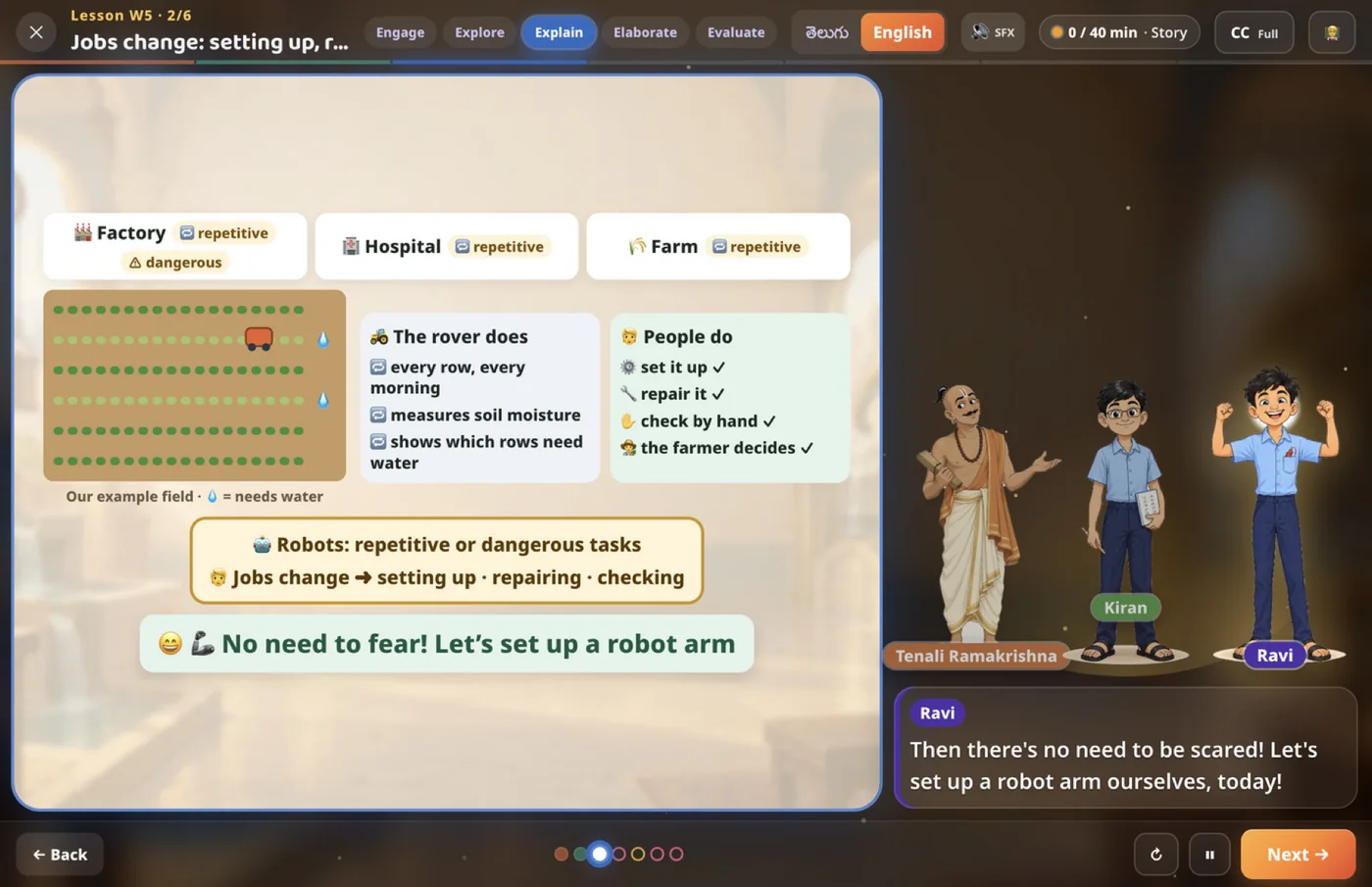
Children wire circuits and run real code on a virtual board, where mistakes are safe.
Then they build it with real Arduino boards and sensors, on battery, solar or USB power.
Quizzes in every lesson, plus June and April checks, show each child's progress.
A new-generation education technology company. We design and build Bharat Future Labs end to end, so schools get one complete, tested lab instead of a pile of parts.
Every staff member marks attendance each working day.
We know who is where, and which schools were visited.
Missed or late visits are seen and acted on the same day.
 Bharat Future Labs
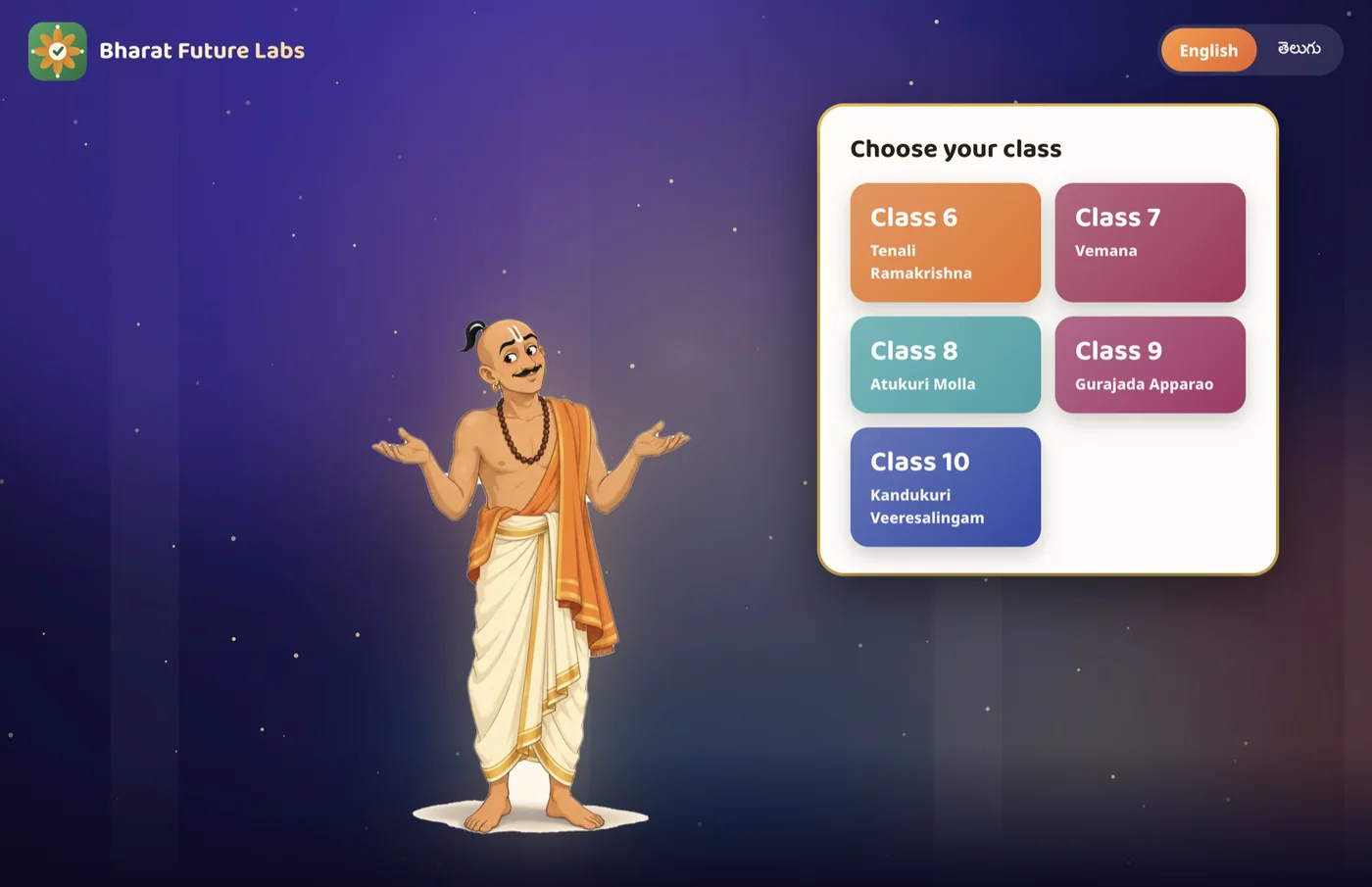
Each class is hosted by a beloved figure from Telugu history, who walks students through the year's big idea. Learning grows year by year.

How computers think: algorithms, circuits, first AI

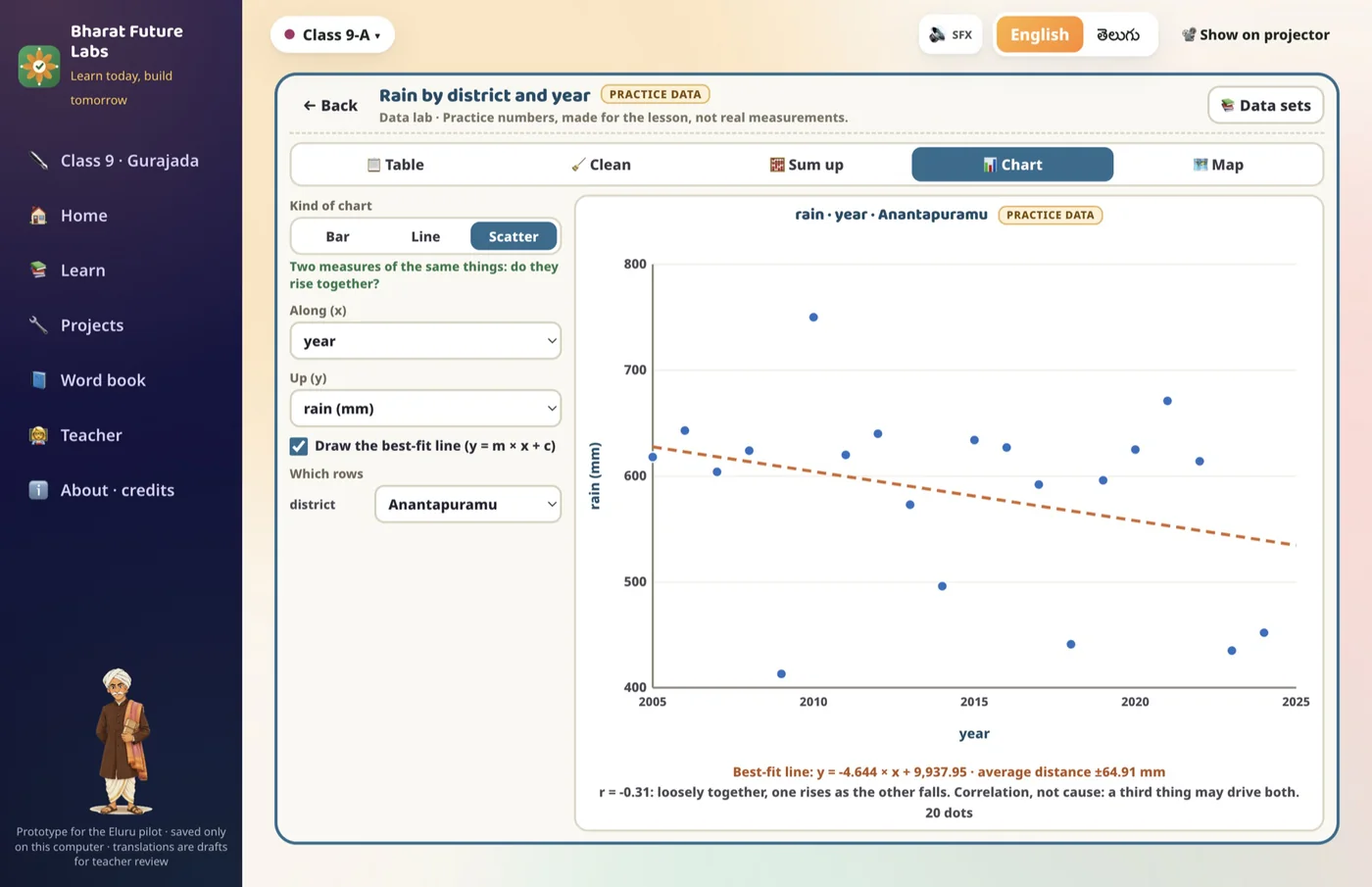
Sensors, data and machines that learn

Connect and control: code for real machines

Data for decisions: Python, devices, responsible AI

Build for Andhra: design, test, deliver
Lessons follow the 5E model, the course book and the teacher's key, period by period.
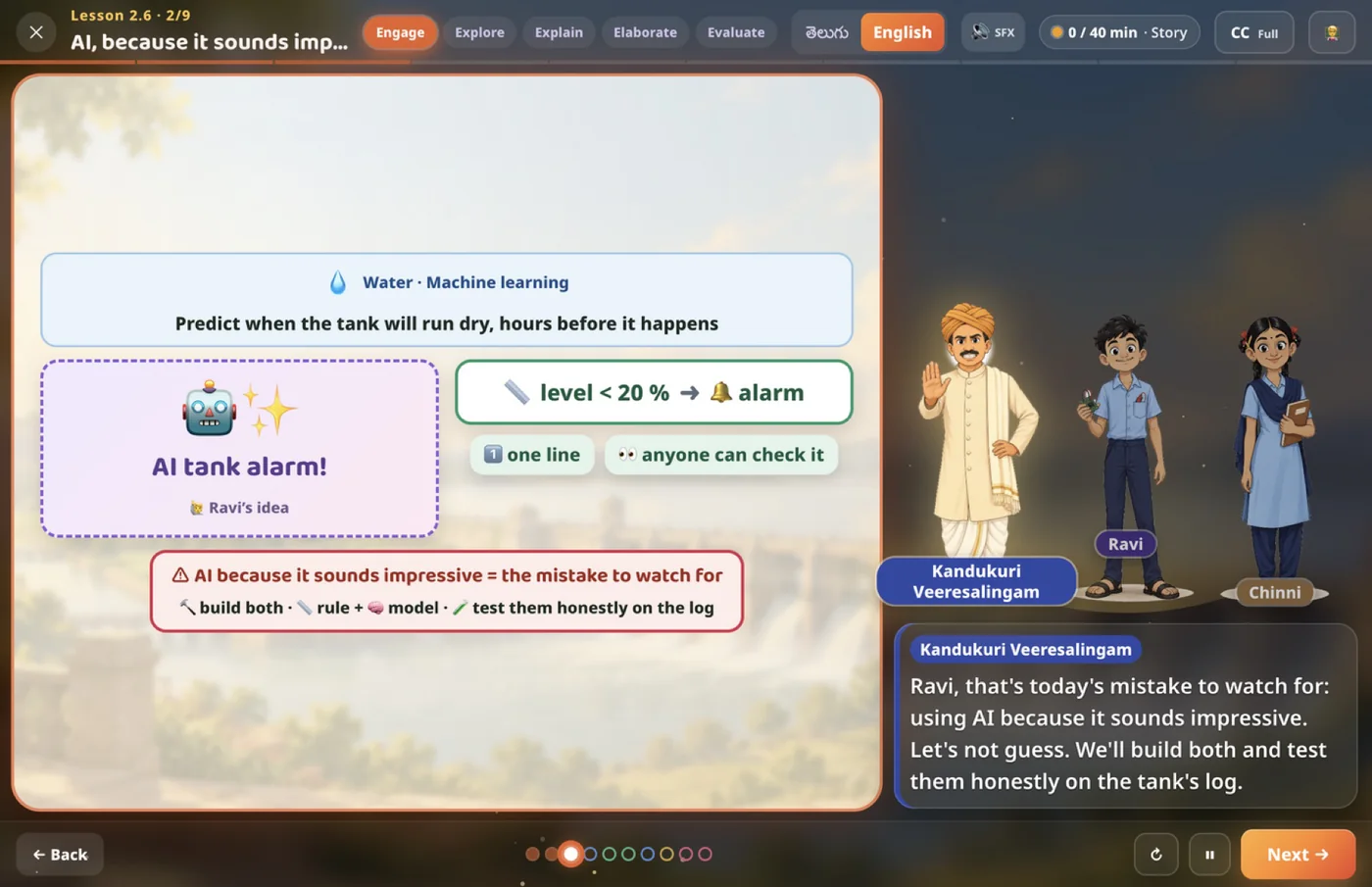
Every class gets 22 hands-on projects, spread across these eight subjects.
Every domain grows from Starter to Build to Challenge, with a clear “done when” for each project.
Choose a feature to see the real app. The tour also plays by itself.
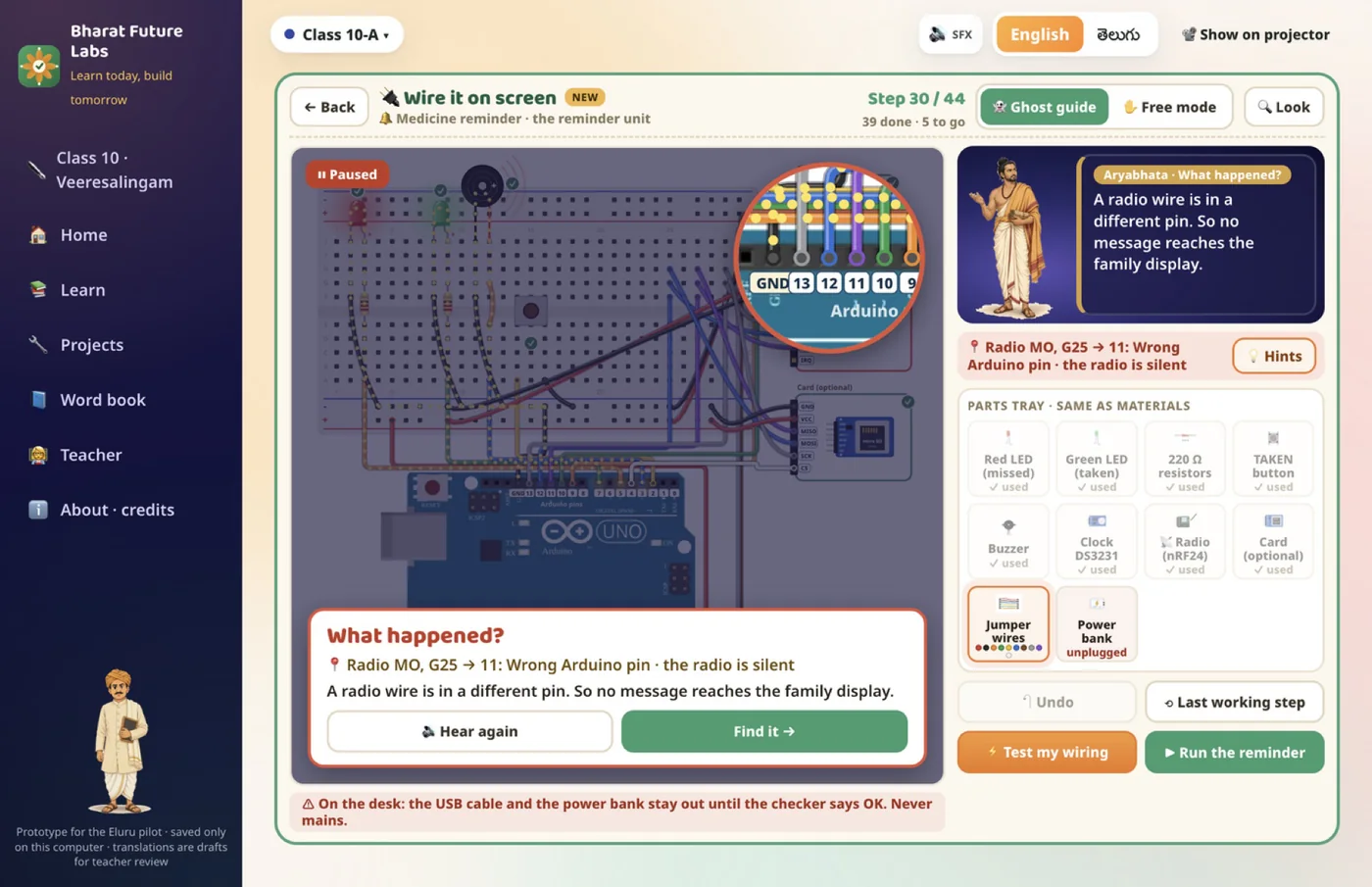
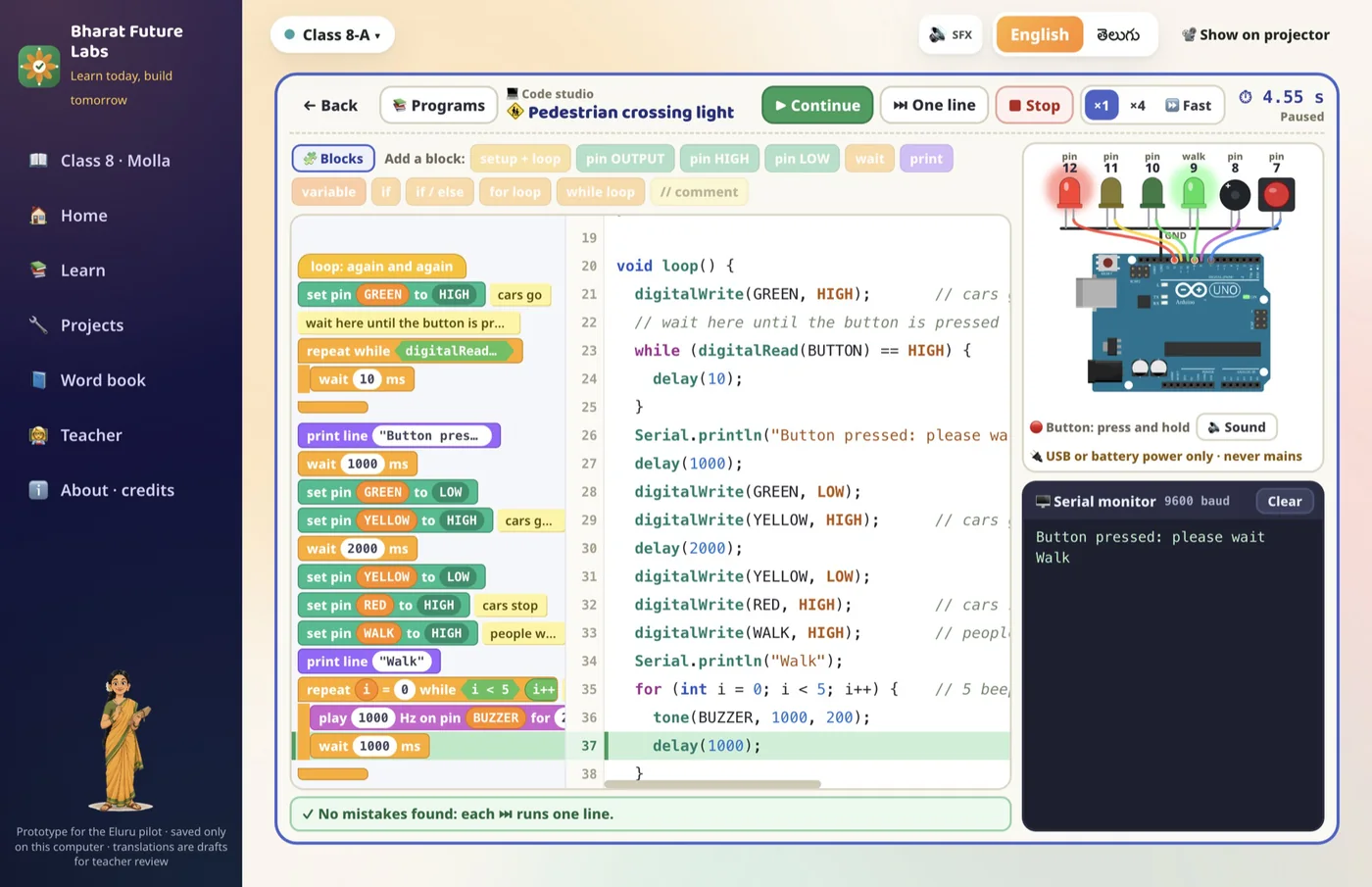
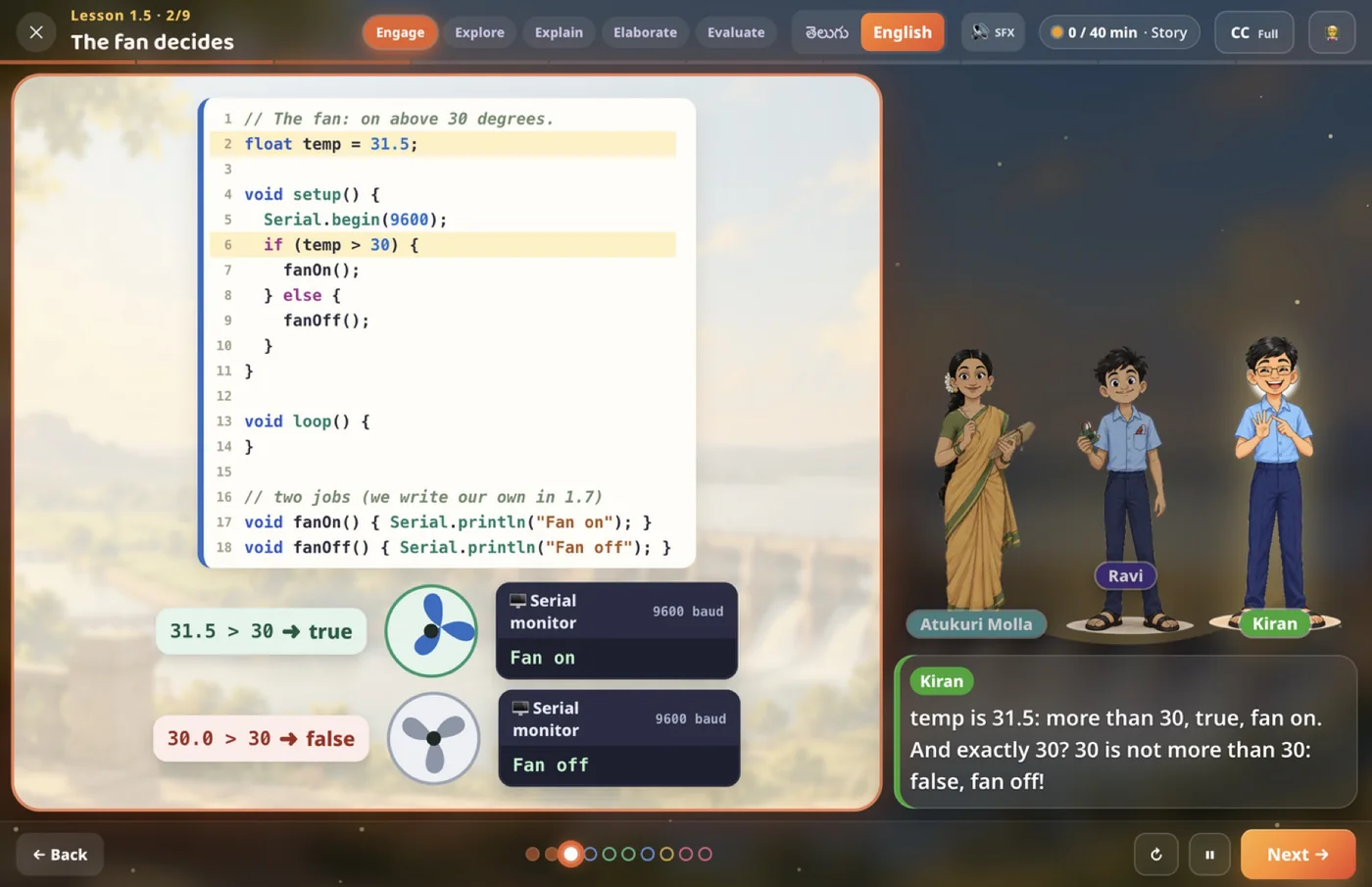
Real Arduino code, an on-screen board. Children run their own programs on a virtual board before touching a wire. Mistakes are safe, and every one teaches something.
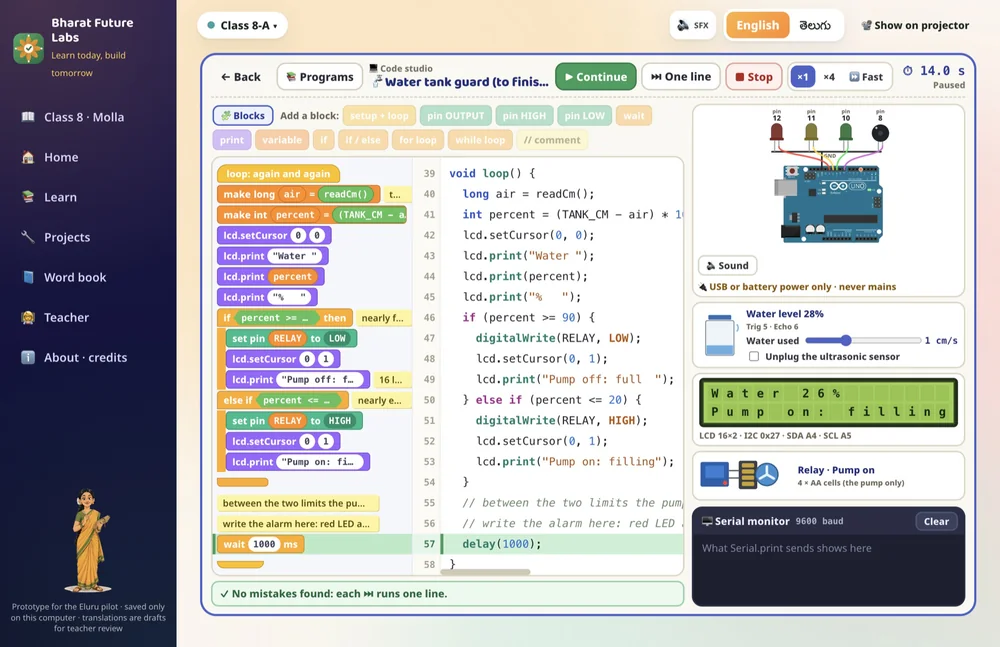
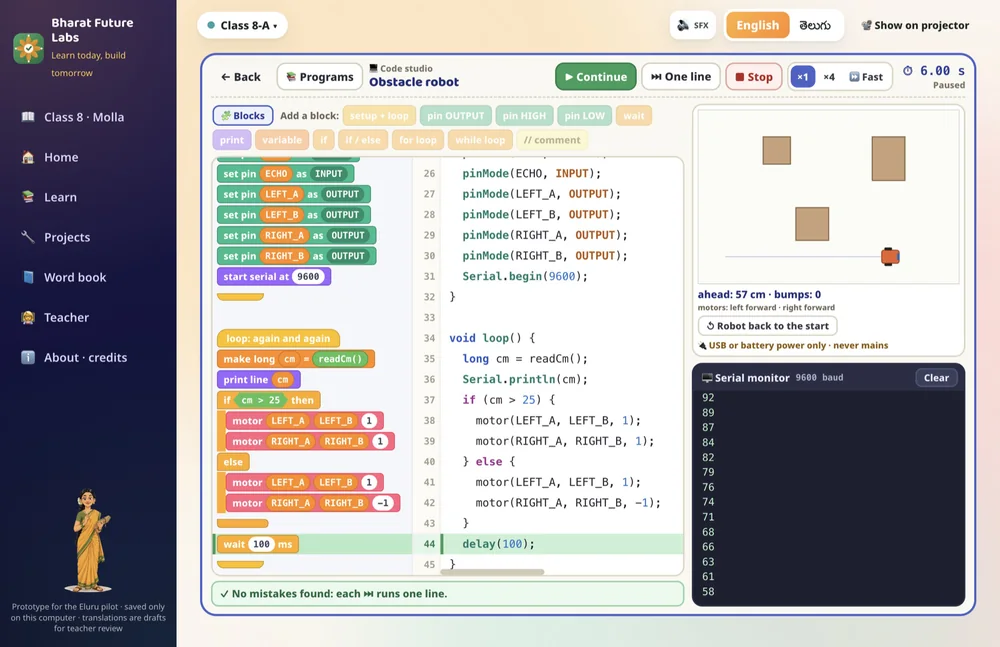
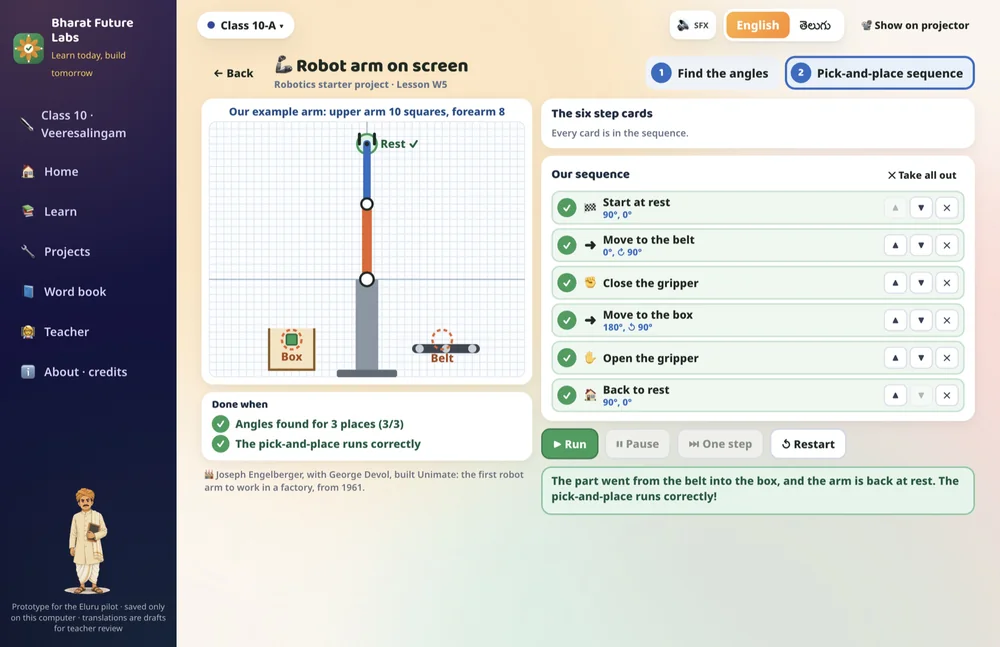
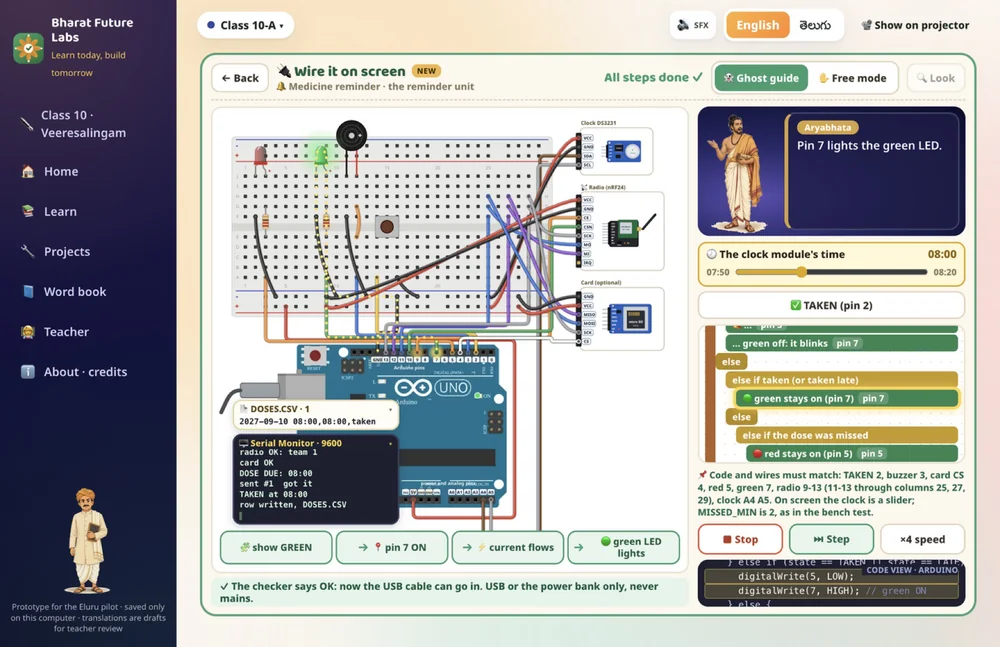
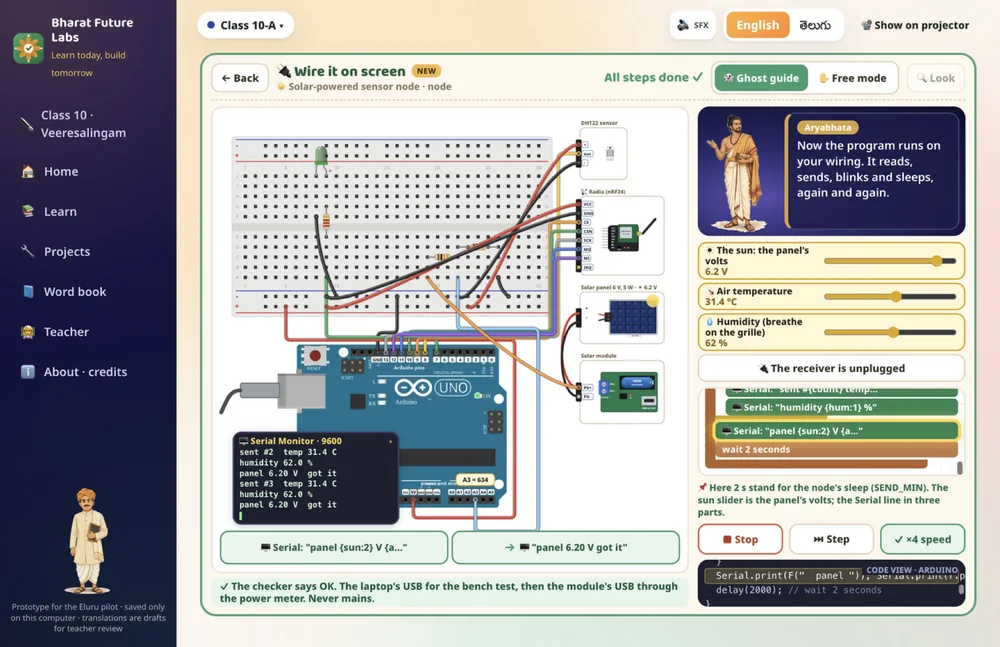
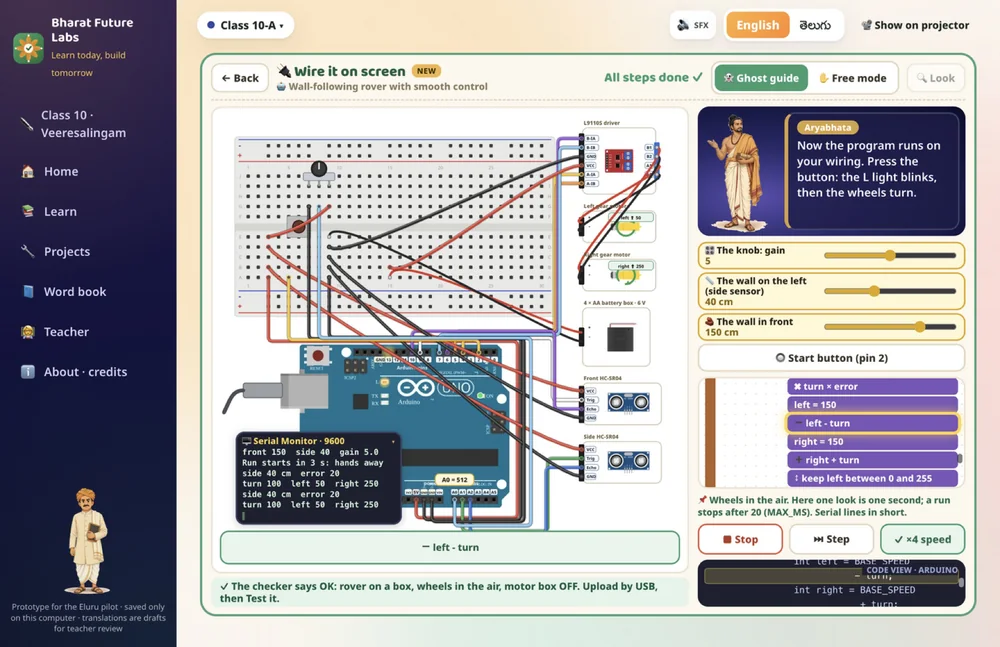
Real Arduino boards and sensors · every program tested on the real compiler · batteries, solar module or USB only
30 questions across the eight domains, by roll number only.
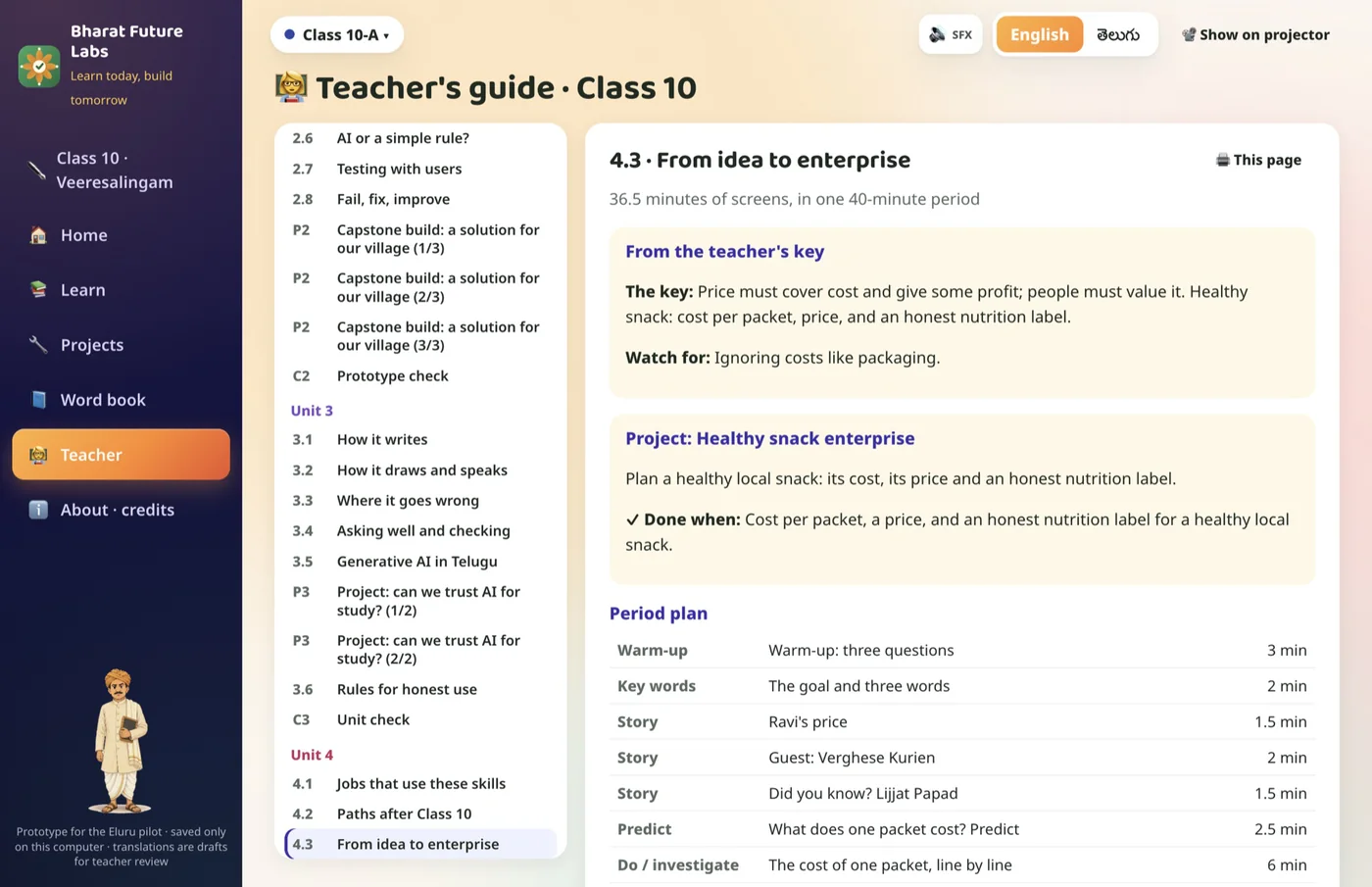
The key, what to watch for, and a minute-by-minute plan.
Every quiz and check answered, in Telugu and English.
June and April answer sheets with keys.
Choose the class, type its PIN; progress kept per section.
No names, photos or voices are stored: roll numbers only. Built with India's Digital Personal Data Protection Act in mind.
Nothing leaves the classroom panel. No accounts, no internet, no adverts.
Batteries, a small solar module or USB only: never mains power, no soldering, no blades.
on the Windows or Mac classroom panel, from a zip
Classes 6 to 10, each with its own guide
and the class opens where it stopped
Telugu or English, one tap; no internet
A hidden admin sets up each school's classes and PINs; a demo mode shows the app to visitors.
Quick answers for principals, teachers and parents. Can't find yours? Message us and we will reply.
Ask on WhatsAppNo. It runs fully offline on the classroom panel. There are no accounts, no internet and no adverts.
Classes 6 to 10, each with its own guide character. Every lesson, voice line and quiz is in both Telugu and English, switched with one tap.
Just the Windows or Mac classroom panel you already have; the app installs once from a zip. Hands-on projects use real Arduino boards and sensors, powered only by batteries, a small solar module or USB.
Yes. No names, photos or voices are stored, only roll numbers. Nothing leaves the classroom panel. It is built with India's Digital Personal Data Protection Act in mind.
Choose the class, type its PIN and teach. Every period has a guide with the key, what to watch for and a minute-by-minute plan, plus answer books and printable checks.
A June starting check and an April final check use the same 30 questions across the eight domains. Every lesson also has a quiz, and each section (like 6-A and 6-B) keeps its own results.
Our own team. Staff visits are tracked daily from our office, and any missed or late visit is followed up the same day.
Learn today, build tomorrow. నేడు నేర్చుకో, రేపు నిర్మించు.
Principals, school managements and education departments: tell us about your classrooms and we will set up a demo on your own panel.